Part 6: Godox Triggers & Control Systems
Posted by Photogear on 18th Aug 2026
Part 6: Godox Triggers & Control Systems
The trigger that sits on your camera and talks to everything else in your kit, from your first flash to a full multi-light studio. Here's the range decoded, and which to actually buy.
Want the newest flagship? The Godox X3 Pro is Godox's current touchscreen flagship, with the same core idea available for less in the Xnano. Prefer physical buttons and dials? The XPro II is the classic tactile trigger most photographers still buy. Tight on budget, or need a simple backup? The X2T gets you real TTL wireless control for the least money.
Shooting with an older or non-Godox flash? An XR receiver adds Godox's 2.4GHz wireless system to a flash that doesn't have it built in. And every trigger here works with three free apps, Godox Light, Knowled and Godox Flash, for control straight from your phone.
A trigger is the one piece of gear that touches every other part of this guide: it sits on your camera's hot shoe and talks 2.4GHz wireless to your on-camera flash (Part 3), your battery strobes and studio monolights (Part 4), and many of the LED lights in Part 2. Buy the wrong camera-mount version and nothing else in your kit will fire, so getting this one right matters more than it might seem. Every trigger below is TTL and high-speed sync capable, so the real decision comes down to interface, budget and which camera brand you shoot.
Who This Part Is ForAnd who should skip ahead.

This part is for anyone using an off-camera Godox flash, strobe or LED light wirelessly: you need a trigger on your camera to fire and control it. If your flash never leaves the top of your camera and you're not controlling anything else remotely, you may not need a separate trigger at all, some on-camera flashes fire straight off the camera's own hot shoe. If you're not sure which trigger fits your existing kit, start with Triggers below.
How to ChooseAnswer this first, it'll point you to the right section below.
1. Buying Your First Trigger, or a New One?
The current lineup, from budget to touchscreen flagship.
2. Running an Older or Non-Godox Flash?
Add Godox wireless to a flash that doesn't already have it built in.
3. Want to Control Your Lights From Your Phone?
Three free apps add remote control on top of any trigger here.
TriggersTwo generations, three tiers: physical dials or a full touchscreen.
Godox's current trigger range splits into two generations of interface. The X2T, XPro and XPro II use dedicated physical group buttons and dials with an LCD screen, the older and still very capable way to work; XPro adds a bigger backlit LCD and remote power control over the entry-level X2T, and XPro II adds Bluetooth app pairing on top of that, for a bit more again. Despite being the oldest of the three, the original XPro is actually our best seller, plenty of photographers never needed Bluetooth pairing and see no reason to pay extra for it. The Xnano moves to a full touchscreen instead, Godox's newer interface for the same job (globally, Godox now markets this same trigger as the X3, Xnano is simply the name it's listed under on this site). Above the Xnano sits the X3 Pro, Godox's newest touchscreen flagship with extra build and feature refinements. Every trigger here is sold per camera brand (Canon, Nikon, Sony, Fujifilm, Olympus/Panasonic and more), so check you're buying the version that matches your camera; the links below all land on the Canon listing as a starting point, select your own mount on the page before buying.
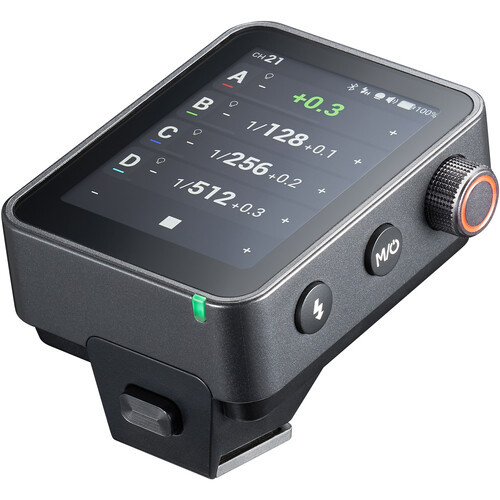
Godox X3 Pro
Sits above the Xnano with extra build and feature refinements on the same full-touchscreen idea. Godox's flagship trigger, and the one to reach for if you want the newest tech Godox makes.
Shop Godox X3 Pro (select your mount) →
Godox Xnano
A full touchscreen interface for group and channel control, with the same TTL and wireless fundamentals as the XPro II underneath. Sold here as the Xnano; Godox's own global naming for this current-generation trigger is the X3.
Shop Godox Xnano (select your mount) →
Godox XPro II
A bigger, backlit LCD panel and dedicated dials for 16 groups across 32 channels, plus remote power control for compatible flashes and Bluetooth pairing. The classic tactile interface, refined: fast to operate by feel, even without looking down.
Shop Godox XPro II (select your mount) →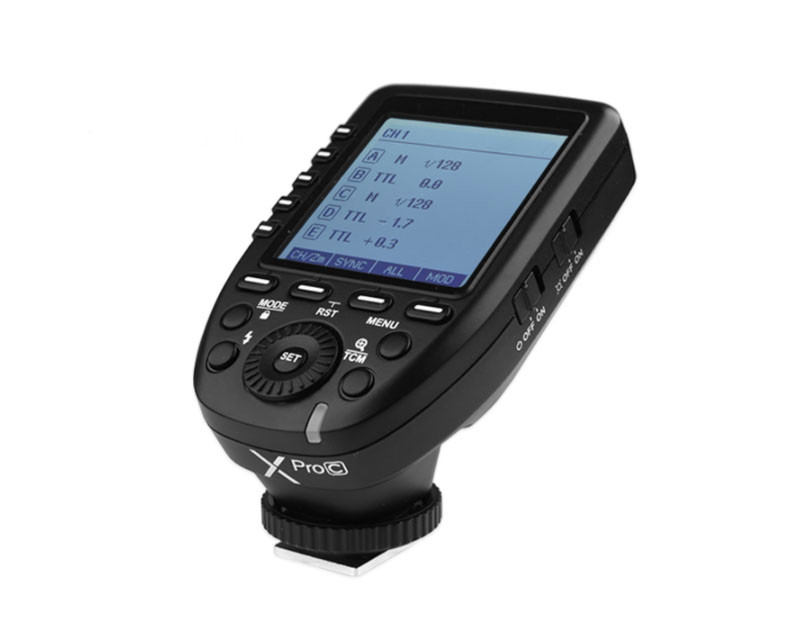
Godox XPro
The same core dials-and-LCD interface and 16 groups across 32 channels as the XPro II, minus Bluetooth app pairing, for less. If you don't need to control power from your phone, this is the tactile trigger most Photogear customers end up buying.
Shop Godox XPro (select your mount) →
Godox X2T
A clear LCD display with five group buttons and three function buttons for fast adjustments. Full TTL and HSS up to 1/8000s, Bluetooth pairing with the GodoxPhoto app, and 5-group wireless control, everything most photographers actually use, in the simplest, cheapest package.
Shop Godox X2T (select your mount) →Third-Party CompatibilityAdding Godox wireless to a flash that doesn't already have it.
Not every flash on your camera or a client's shelf speaks Godox's 2.4GHz wireless out of the box. A receiver like the Godox XR sits between a trigger on your camera and a flash that doesn't have wireless control built in, letting an older or non-Godox flash join the same system as everything else in this guide. Godox also makes an XRS version for Sony cameras with the same job.
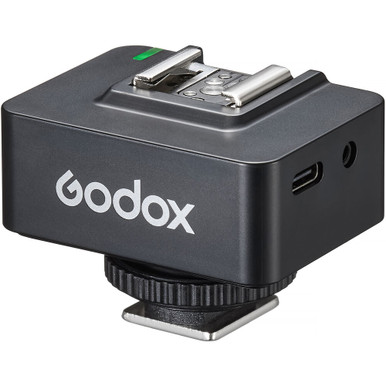
XR receiver (Canon & Nikon)
32 channels, 5 groups, roughly 100m range, with a built-in rechargeable battery and improved LCD screen. Ships with sync and USB-C cables.
Shop Godox XR →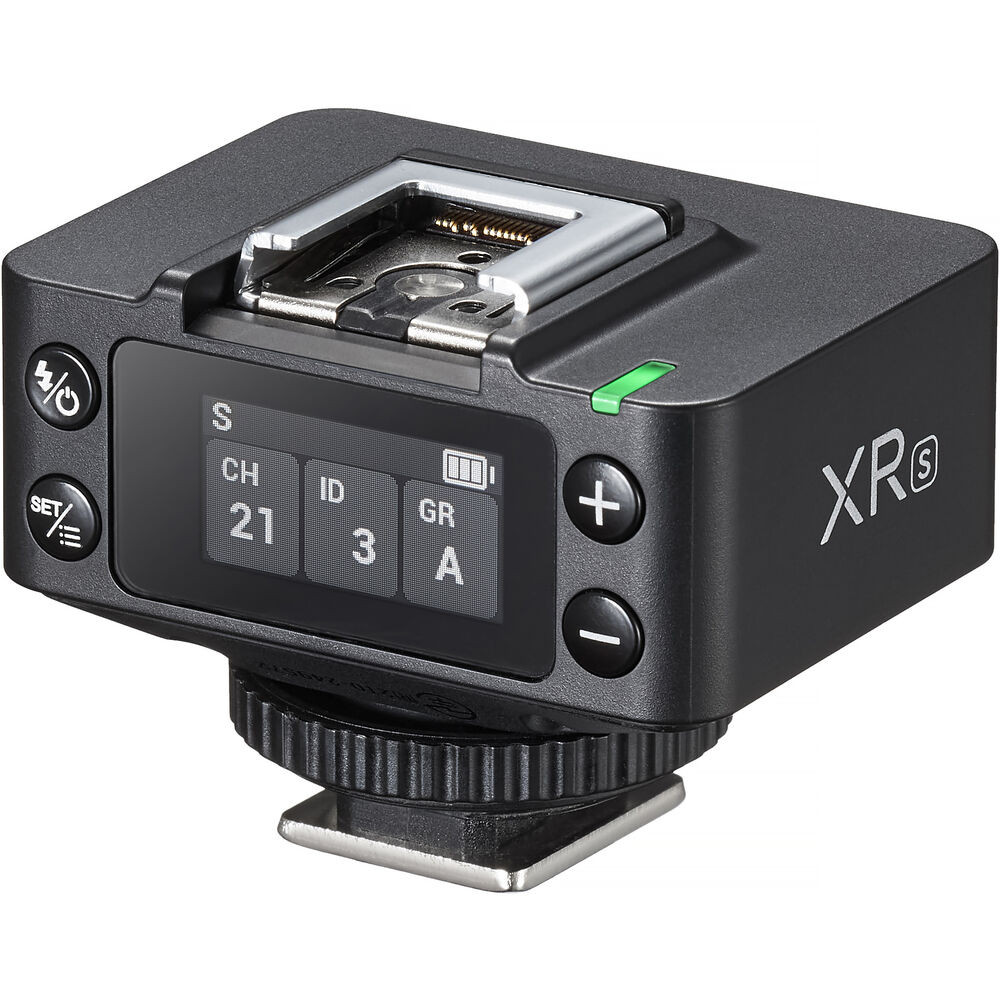
XRS receiver (Sony)
The same job as the XR above, built for Sony cameras: 32 channels, 5 groups, a built-in rechargeable battery and roughly 100m range.
Shop Godox XRS →Free Control SoftwareThree free apps, none of them cost extra on top of your trigger.
All of Godox's control software is free to download, no subscription or in-app purchase needed to use the core features alongside any trigger above:

Godox Light
The main app for Godox's flash and continuous LED range, pairs over Bluetooth for remote power and setting control from your phone.
Get Godox Light →
Knowled
The companion app for Godox's KNOWLED cine and colour-critical LED fixtures, for finer colour and effect control than the physical panel alone.
Get Knowled →
Godox Flash (Android)
An Android-specific app for flash control, an alternative to Godox Light if you're on an Android phone and prefer its interface.
Get Godox Flash →The One That Ties It Together
Every light and flash across this guide speaks the same 2.4GHz Godox X system: the on-camera flashes in Part 3, the battery strobes and studio monolights in Part 4, and much of the continuous LED range in Part 2. Buy one trigger that matches your camera brand and it controls all of it, so growing from one light to a full multi-light kit never means starting over on triggers.
Quick ComparisonThe decision-relevant specs, side by side. Check each product page for full details.
| Model | Interface | Groups / Channels | Best for |
|---|---|---|---|
| Triggers | |||
| X3 Pro | Touchscreen | 16 groups, 32 channels | Newest touchscreen flagship |
| Xnano (X3) | Touchscreen | 16 groups, 32 channels | Touchscreen preference |
| XPro II | Backlit LCD + dials | 16 groups, 32 channels | Tactile control, plus Bluetooth |
| XPro | LCD + dials | 16 groups, 32 channels | Our best-seller, tactile control, no Bluetooth |
| X2T | LCD + buttons | 5 groups, 32 channels | Budget, backup trigger |
| Third-Party Compatibility | |||
| XR receiver | LCD screen | 5 groups, 32 channels | Adding wireless to a non-Godox flash (Canon/Nikon) |
| XRS receiver | LCD screen | 5 groups, 32 channels | Adding wireless to a non-Godox flash (Sony) |